
Best IPTV for Firestick Canada is the easiest way to stream live TV, sports, movies, and series on any TV — without complicated equipment.
If you’re searching for the best IPTV for Firestick in Canada, you’re not alone.
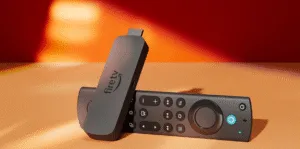
The Amazon Fire TV Stick is one of the easiest (and cheapest) ways to stream live TV, sports, movies, and series on any TV — without complicated equipment.
Many Canadians also search for the best IPTV app for Firestick and even the
best legal IPTV Canada for Firestick, so this guide covers the key apps, setup steps, and buffering fixes in one place.
In this guide, you’ll learn:
- What matters most when choosing IPTV on Firestick
- The best IPTV app for Firestick (simple + powerful options)
- Setup tips to reduce buffering and improve quality
- A quick checklist to choose a legal and reliable IPTV experience in Canada
⚠️ Quick note: IPTV is a streaming technology. Always use providers and content that you’re legally allowed to access in your region.
Why Firestick is the #1 device for IPTV in Canada
Firestick is one of the most popular streaming devices in Canada because it’s affordable, fast to install, and works on almost any TV.
It’s also compact — meaning you can use it in your living room, bedroom, or take it while traveling.
- ✅ Works on any HDMI TV
- ✅ Easy to use for beginners
- ✅ Supports 4K models (Firestick 4K / 4K Max)
- ✅ Smooth experience with the right IPTV app + stable internet
What makes an IPTV service “the best” on Firestick?
A lot of people judge IPTV by channel count — but the best IPTV for Firestick is usually the one that is stable,
loads quickly, and comes with real support when you need help.
The 7-point checklist (save this)
- Fast streaming servers (less buffering)
- HD / Full HD / 4K options
- EPG TV Guide (so you know what’s playing)
- Catch-up & replay (if available)
- Multi-device support (Firestick, Android, Smart TV, phone)
- Simple setup (Xtream Codes or playlist support)
- 24/7 customer support + trial option
✅ Pro tip: If a provider offers a quick test, it’s easier to confirm performance before committing.
Best IPTV Apps for Firestick (2026)
To use IPTV on Firestick, you need an IPTV player. The app is simply a tool — what matters most is the service/content you connect to.
Below are the most popular choices in Canada.
1) IPTV Smarters Player (best for beginners)
Best for: easy setup + clean interface
- ✅ Beginner-friendly menus
- ✅ Smooth navigation on Firestick
- ✅ Simple login and quick loading
If you want the best IPTV app for Firestick without any confusion, IPTV Smarters is often the easiest starting point.
2) TiviMate (best TV-style experience)
Best for: people who want a “real TV” experience (sports fans love it)
- ✅ Powerful TV Guide (EPG)
- ✅ Clean layout and fast browsing
- ✅ Great playlist control
3) Lightweight IPTV Players (simple alternatives)
Best for: older Firesticks or basic streaming
- ✅ Runs well on lower storage
- ✅ Minimal interface
- ✅ Quick start-up and loading
✅ Try a Free IPTV Trial (Canada)
IPTV for Firestick 2024 vs 2026 — what changed?
People still search “IPTV for Firestick 2024”, but the winning formula is still the same today:
✅ Reliable service + ✅ Stable internet + ✅ The right IPTV app
What changed in recent years is that more users want:
faster servers, less buffering during live sports, and faster support if something stops working.
How to set up IPTV on Firestick (simple steps)
Step 1: Use a strong connection
- Use 5GHz Wi-Fi if available
- Keep Firestick close to the router
- Weak Wi-Fi = buffering, especially at night
Step 2: Install an IPTV player app
Install your IPTV player (ex: IPTV Smarters Player) and open it.
Step 3: Add your login details
IPTV services usually work with one of these:
- Xtream Codes login
- M3U / playlist details
Step 4: Start watching
Once your channels load, test a few live streams and a few VOD titles to confirm stability.
How to stop buffering on Firestick (fast fixes)
Buffering usually comes from Wi-Fi strength, device load, or peak-time traffic. Try these quick fixes:
- ✅ Restart Firestick + Router
- ✅ Lower quality temporarily (4K → HD)
- ✅ Clear the app cache
- ✅ Close background apps
- ✅ Consider Ethernet adapter for best stability
- ✅ Choose a provider with stable servers
Best IPTV for Firestick Canada: what most people get wrong
Most people only ask: “How many channels do I get?” — but the smarter questions are:
- ✅ Will it stay smooth at night?
- ✅ Does it handle live sports without freezing?
- ✅ Is customer support fast?
- ✅ Is there a trial option before buying?
If those points are covered, you’re much more likely to get a stable experience that feels like premium TV.
Quick comparison: Which IPTV app should you choose?
| IPTV App | Best For | Ease | Top Feature |
|---|---|---|---|
| IPTV Smarters | Beginners | ⭐⭐⭐⭐⭐ | Simple setup + clean UI |
| TiviMate | Advanced users | ⭐⭐⭐⭐ | Best EPG + TV layout |
| Lightweight Players | Basic streaming | ⭐⭐⭐⭐ | Fast on older devices |
FAQ
Is IPTV legal in Canada?
IPTV as a technology can be legal. What matters is whether the service is licensed to distribute the channels/content you access.
Always use content you are legally allowed to access.
What is the best IPTV app for Firestick?
For most users, IPTV Smarters Player is the easiest and most beginner-friendly.
If you want a more TV-like layout, TiviMate is a top option.
Why does IPTV buffer at night?
Peak-time traffic and overloaded servers are common causes. A stable provider, strong Wi-Fi, and a good IPTV app usually fix the issue.


